CSS Selectors 101: Being Specific with Style (4/4)
Have you ever forgotten was it hash or dot?
Have you struggled with pseudo selectors?
Me neither, but I am still gonna write this blog.
Selectors
Our HTML pages are filled with elements. All those elements are associated with a tag, that tag is something distinct. We can address that tag. But what if I want to change certain properties for a specific Class?
Selectors enable us to do just that!
Selectors in CSS are just ways to specify which element to target and apply these styles to.
Element Selector
Element selector is the most basic selector. We simply refer to all the elements which have certain tag.
For example:
1
<p> I am a red paragraph </p>
1
2
3
p {
  color: red;
}
would translate to:
Apply color: red property to every <p> element
This selectors is mostly used to apply basic, common style to all elements.
Class Selector
Class selector goes more specific. Now we are targeting only certain specific groups.
For example:
1
2
<p class="careful">Hey!</p>
<p class="careful">Be careful!</p>
1
2
3
.careful {
  color: yellow;
}
would translate to:
Apply color: yellow property to every element with class careful
Classes are denoted by a dot (.) symbol.
Class selector is one of the most common selector. Multiple elements are grouped together using classes which helps simplify managing and styling of logical equivalent elements.
ID Selector
ID selectors are the most specific selector of the commonly used ones.
IDs are meant for a single unique element so we are targeting a single element.
For example:
1
<h1 id="hero">I am the hero text</h1>
1
2
3
4
#hero {
  font-size: 40px;
  color: green;
}
would translate to:
Apply font-size: 40px; and color: green properties to the element with ID hero
IDs are denoted by a hash (#) symbol.
To use ID selector effectively, we should not repeat our IDs and keep the code hygienic.
Class and ID Visualization
Here is an image demonstrating Class and ID Selector
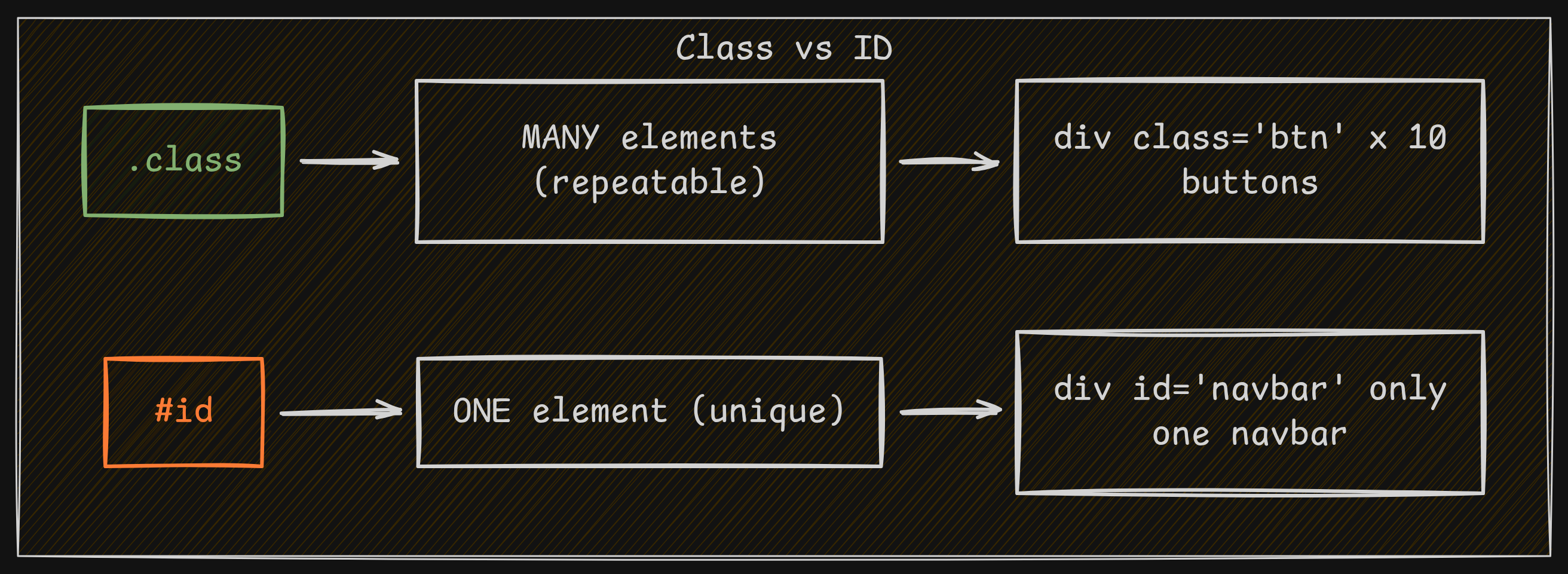 Class and ID Selector
Group Selectors
Group selector just takes a bunch of selectors like elements, classes, IDs and pseudo-classes and applies common style to all of them.
A group selector is just a comma-separated list of selectors that all share one style rule.
For example:
1
2
3
4
<p> I am a red paragraph </p>
<h1 id="hero">I am the hero text</h1>
<h2> Heading </h2>
<p class="careful">Hey!</p>
1
2
3
p, .careful, #hero {
  color: blue;
}
would translate to:
Apply color: blue property to:
- every
<p>element - every element with class
careful - every element with ID
hero
Visualization
Here is an image demonstrating grouped selectors
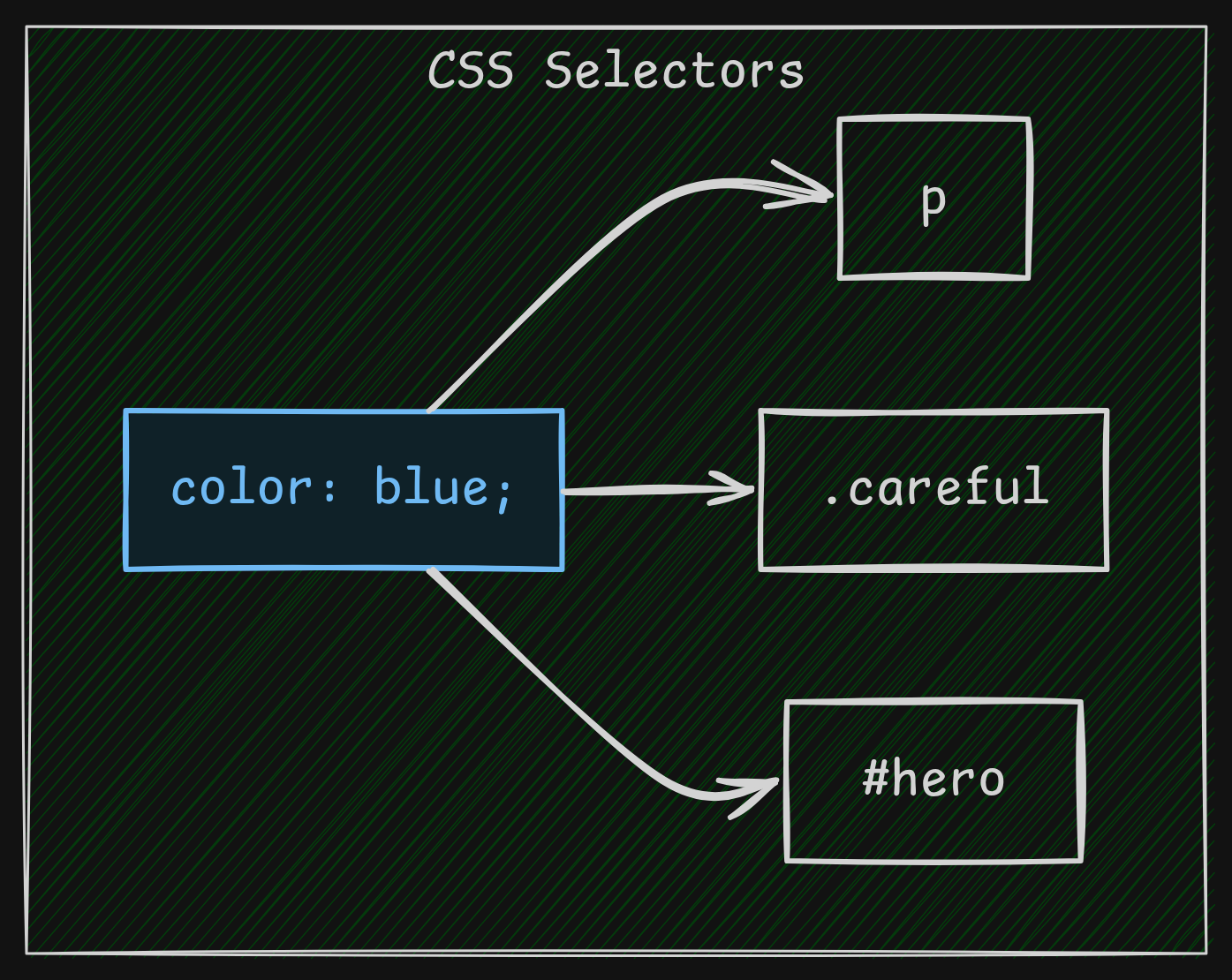 Group Selector
Descendant Selector
Descendant Selector targets elements inside other elements.
For example:
1
2
3
4
5
<div class="card">
  <p>Going to be orange soon</p>
</div>

<p>You can't get to me</p>
1
2
3
.card p {
  color: orange;
}
would translate to:
Apply color: orange property to <p> element inside the card class
Selector Priority
CSS applies style based on the Specificity Algorithm.
That’s just an expensive word to say:
The most specific style would be applied. If multiple styles of same specificity are present, last rule declared in the stylesheet wins
Hierarchy (Highest to Lowest)
- !important: Overrides all other declarations
- Inline Styles: Style directly applied in the HTML tag (e.g., style=”…”)
- IDs: #i-am-an-id
- Classes and Attributes: .class, [type=”hero-text”]
- Elements: div, h1
Conclusion
CSS is based on selectors.
Master selectors and their priority, you have learnt one of the most valuable topic in CSS